Showing posts with label ipad. Show all posts

10 Easy Stations for Building Circuits!


Before moving to the older grades I was petrified of teaching electricity and circuits because I didn't know! Brushing up on the material is now one of my favorite things to teach with so many ways to showcase their knowledge.  Incorporate some of these projects in your teaching - really - the kids love it!


We take about 3 weeks to complete our unit on Electricity! At the beginning of the unit we talk about Circuit Day and what options we have available to present.  Students work in pairs to design something that will showcase a circuit and a full explanation script for people visiting their station! We invite other classes to come see our work and learn as well!  

Below are some of the options we had.  I'll link if you want to check them out.  Many were purchased over the course of a the year (by myself to take to another school if I wanted) or donated by the company. 


This is such a cool item! Here is the kit that we have but many parts can be replaced at  a lower cost once you have the hang of it! We love incorporating them into other projects as you can see below!

The pair working on this literally taught themselves in no time and were so proud to build one on their own not out of the book (it has blank pages to do so) Definitely worth the investment! The stickers LEDs did come off relatively easy so we can reuse them at least a couple other times. 
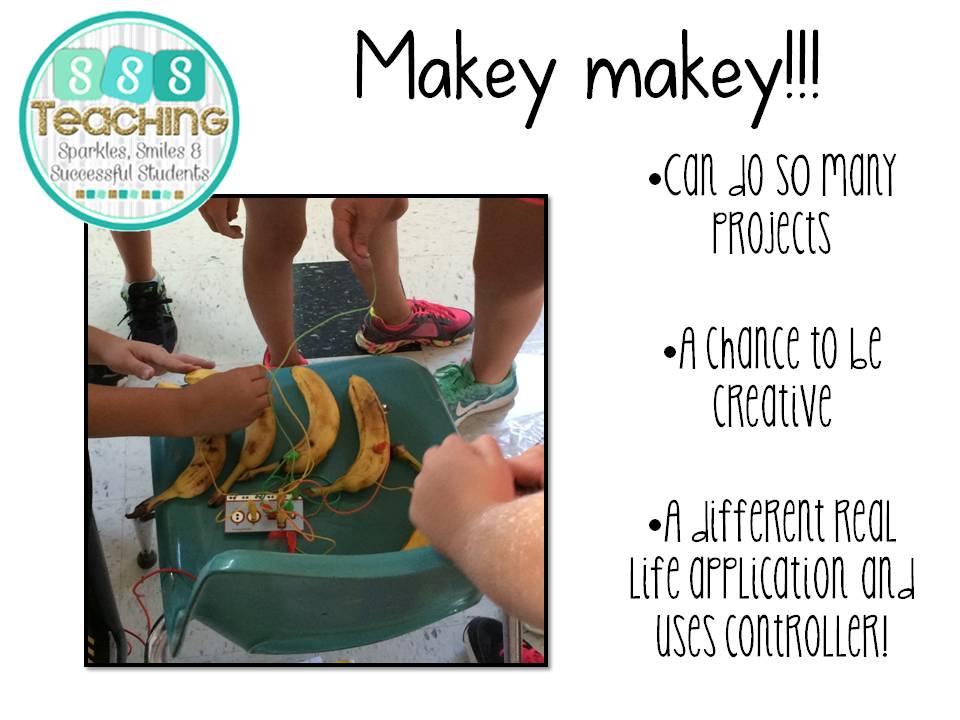


Makey makey is an awesome tool for the classroom.  It comes with alligator clips and a controller like device that you can plug in the computer.  You can choose their variety of games or control anything on the computer with ANYTHING that conducts electricity!

We had so much fun.  We made water guitars, banana pianos, played a jumping game by high-fiving but really the possibilities are endless. Their sites has a great link up of ideas if you need a springing off point!


This has got to be a favorite just because of the sheer amount of effort involved.  This could literally be applied to any content! Just using aluminum tape, regular tape, LED, alligator clips and watch battery you have your own light up matching game, or operation, or whatever!!

Here is the list of detailed instructions!  My kids were able to make another on their own pretty easily as well.  I have my 5th graders make review games for 4th grade! Such a great way to tie content together!


This puzzle lights up when a complete circuit is made.  It comes with templates that are labeled with levels so it can work for a variety to ages or as a game. This was definitely a fun option! Here is the link to something extremely similar.


Squishy Circuits are very cool and easy to work! We can apply many concepts such as series and parallel circuits to this and be able to see very easily the results!  You could use your own playdough, LEDs, batteries but the kit is inexpensive for the amount of light and other items like a buzzer that come with it.  These lights work better than the smaller LEDS that I get from Radioshack if I end up buying anyway.

you can build so many things with this and such an easy illustration!


These were another labor of love but great for just raw materials - instructions here.  Just using battery, paper clips, and lights/buzzer you can make your own circuit with an on/off switch.  These are pretty cool to display and show others using creativity!


 Oh Scribble bot- great machine to show off powering circuits!  Just attach a vibrating motor to a battery and put on side of a cup with markers and VOILA! A robot that scribbles on his own.  I had a tough time keeping the battery and wires attached - something to improve on for next year.


The Everything Machine from the App store ($) simulates circuitry with many options to build.  Like a camera that takes a picture when motion is detected or a light that turns on when a color is present or sound....really endless possibilities.  I love how it simulates! I used our a part of our yearly app budget to purchase this just on a classroom ipad to have!


 An important discussion we had was how static electricity differs from electricity that powers homes so I had some students working some of my Static Electricity Stations and explaining what the changes were.


Snap Circuits were such a hit in my classroom!  We truly love how many options and pieces it has to build so many cool projects! I had so many kids requesting to come in at recess to build!

The projects progressively get harder but I had some students that would build on their own since they later knew how the parts worked. 

Here is a link to their awesome products.  I plan to purchase some more for next school year just because of how durable and popular these kits are!


Here is the invitation we placed around school and used in our video. This was our culmination to our chapter on Electricity!


We are a rural school and we love our country music.  They love this song so I rewrote it to fit the needs of our class.  We filmed it to help promote our circuit where we invited other classes in school to see what we worked on.  

You can listen to audio of the song - here.  


1

What your Literacy Block is MISSING!


   A listening center is crucial for any reading block.  Starting out teaching I felt this would be an impossibility for my classroom and had so many unanswered questions - how much? how do I get stories? Where does it go? How do I fit it in? 
Here's my solution to get a listening center into every classroom!  All you need is an internet connection and 1 ....yes 1 computer/iPad

A listening center is possible for every single classroom even small rural ones like mine.  We only have 2 iPads and make this possible on a daily basis. If you have an internet connection you can make this work!  That's what makes this so great.  Keep reading to see the many options available!

 I use to think I had to purchase books on tape/CD but that is not the case anymore with technology! You can read books in many ways online!  I love using QR codes and the listening centers available - here but there are also other ways.  I use them because of the rigorous skill focus associated with each set of stories!                      Another great way to get book is to use EPIC! It is FREE to educators and there is such a wide story selection and each student can have a profile! Not all stories are read but it is a great option and way to expand your library.  There are also great options on TPT of listening centers you can use QR codes for and there are for different themes and times of year.  

We use our listening center as part of our reading rotations! My students have to listen to 1 story a week at least and take the test that accompanies their story and score 3/5 or better.  They can work with partners because these types of questions are good for discussion and they will work independently for an assessment.  This also helps keep them honest.  If they do worse they come to me and we work on a story together at a separate time.
  Listening Centers can be done at any part of the day you find time.  They are short and students need to hear reading in order to become better readers.  This works great as part of daily 5.  We don't use headphones because they weren't required and we have a certain level the iPads must be turned to for reading.  Since it is a quiet working time and at most I only have 2 stories being read it does not get too loud.  If they abused the privilege they would have to do this as part of computer time.
  Listening centers in any format are a great way to differentiate for readers in your classroom.  Some students need smaller books and some like to read more complicated material.  Nonfiction can be great read aloud because of the complexity.  The listening centers we use have AR levels printed on the bottom and students can choose one from their level for that skill.  It's a win-win as a teacher.  They get fun books (even though they are short!) and still practice a much needed skill for the week!  I love having that opportunity!

I love integrating technology into my class!  This is one easy way to do it! Using EPIC or QR codes to listen provides great way for students to be more oriented with technology! The listening Centers we use are self-checking so they can get immediate feedback from what they read and learned to apply the skill.  So easy for a teacher to keep track of and for a student to use. 


Listening to stories can also be a great whole group activity!  Sometimes listening to reading just like read alouds we do in class provide different opportunities and conjure different visualizations depending on the student.

If you are interested in learning more about skill specific QR Listening Centers click any of the pictures or this link!


1

Grandparents Day Project Ideas 2015

First up if missed this post last year - here is are some great/HILARIOUS ideas to start off Grandparents Day this year.  Pic below is linked to what I did last year.


I'm changing it up some this year because of how much time we get with grandparents and I want to use it wisely.

First up, I created this Kindercraze inspired tree.  I was really proud of it and it was the inspiration for other creations we came up with for celebrating this year.  I literally just cut random black strips of bulletin board paper and then up with glue dots it went.  Those leaves - just circles - even this completely unartistic gal got it together!


Here is a closeup of the frames hanging from the tree.  We put pictures in so far just drawing then adding real pictures once grandparent's day happens! 

Free frame from TPT (Creative Clips) and just added words


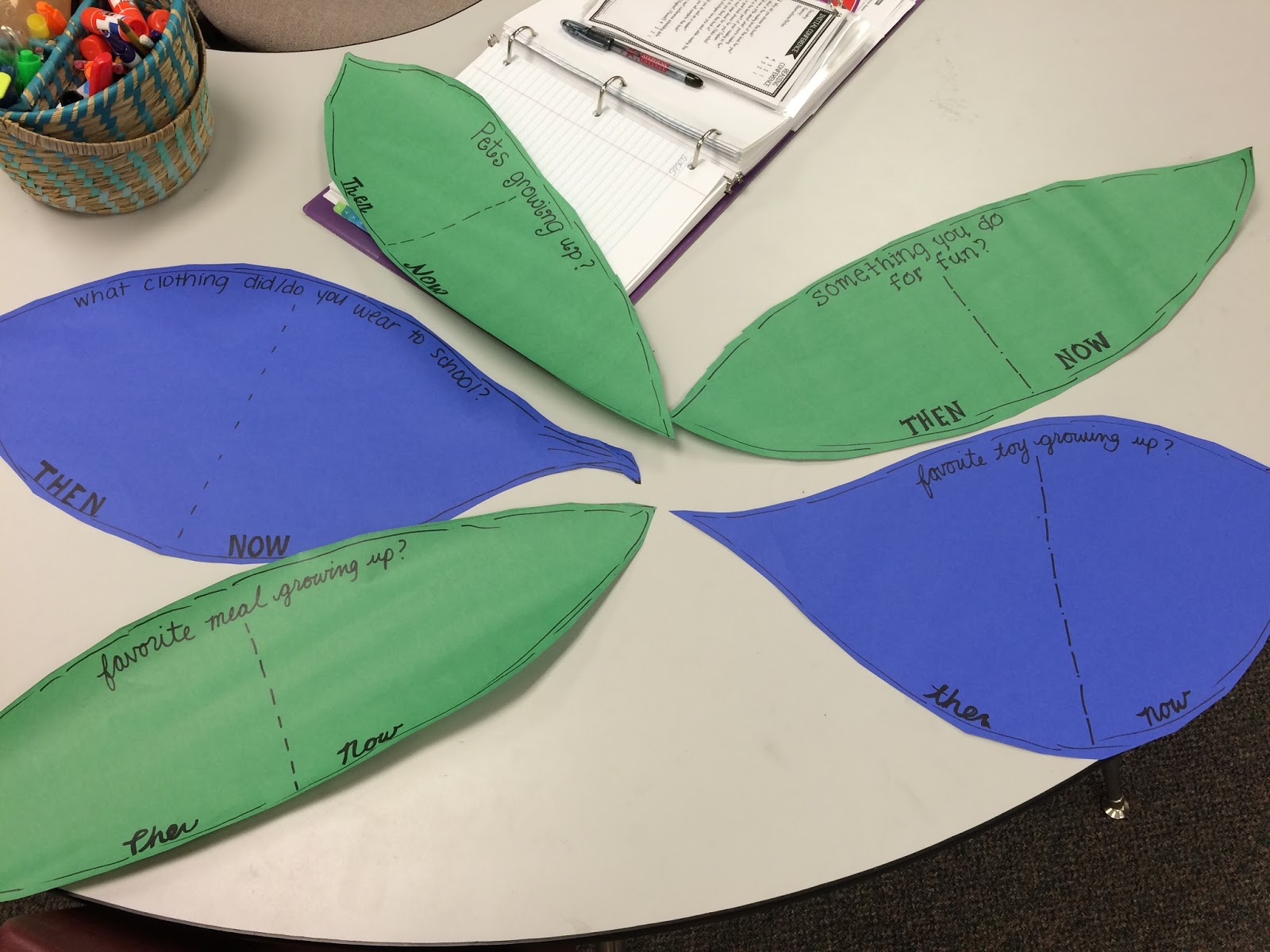
One of the activities will be completely the answers to these questions on Grandparent's day comparing then and now.  I'm excited to see the answers and the students already have some guesses, but we can't wait to get to them till next Friday. 

I love that this will tie in with our curriculum!

They will be attaching to our big hallway tree outside when complete (fingers crossed) 


FREE printable about "Thumb" body that comes with different numbers as well from Who Arted.  I love that I got to use stamp pads just something cutesy and I haven't done in awhile.  I plan to write letters and cover parts of a letter to grandparents on the back to give to them upon their arrival. 


 Can't forget this old favorite.  We used the Old Fart Booth (FREE) app again this year and made ourselves old! Which of course again was HILARIOUS! We stepped it up this year and I came up with showcasing them this way as a 50 year reunion for that class.

We also used the Grandparent Name Generator to give ourselves names as well - such a fun addition


There you have it!  Many activities to prepare yourselves for Grandparent's Day this year!  I hope you can use some of these in your classroom.  

How do you connect with grandparents and make them feel special?


0

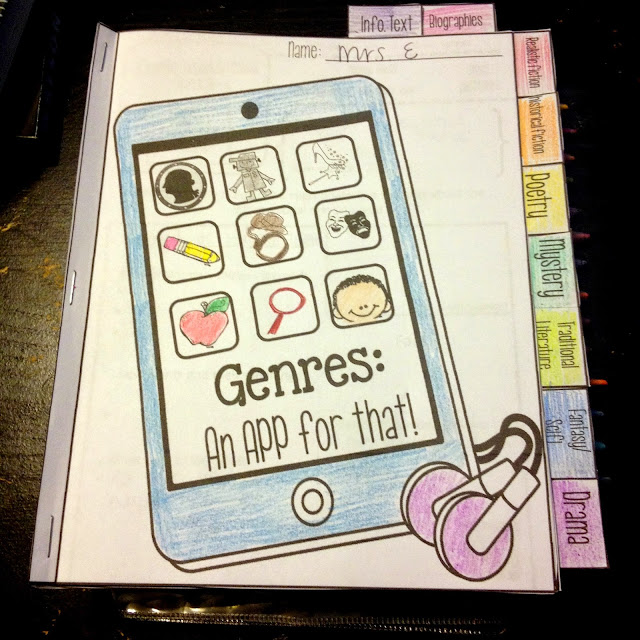
Genre Tab Book


I feel like I can semi-breathe now that school is out!  My 6 month old keeps me pretty busy!  I have had this idea swimming in my head for SO LONG now!!  I did my long range plans for next year and since I organize my reading by genre for the year I wanted a product that promoted critical thinking but would be open ended enough to use with any story of that genre and thus the Genre Tab Book was born!  


This would make a great beginning of year or introduction to each genre book, a great end of year review,  an accompaniment to the 40 book challenge or perfect for Interactive notebooks and you could use the pages as the tabs for your notebook!

It includes 9 genres and 13 different skills along with most of the RI and RL  Common Core Strands!!  It doesn't get much better than that!


Each page contains the definition, characteristics of that genre, and open ended questions.  Use the QR code with a read aloud from that genre or use with any story from your reading series or classroom!


I'm so excited this finally got finished and I can put them into practice in our classroom next year - they will be a great tool to assess learning!


1

Every Kindergarten App you could need!


 So I got one of these! I'm so excited to get the opportunity to use this in my classroom. I have got some awesome apps I plan on using for lots of small group work and centers.  These apps were mostly free and I'll show you some organizing tips along the way.                                                                                                                                                                                                                                                 First if you want these super cute backgrounds, check them out here for FREE! Reagan Tunstall made them and I think they will work great not to mention keep us organized since every teacher in our building will have an Ipad this year :) 


First, I organized my apps by category.  Integration will be a huge part of getting the Ipads so I want to make sure I have it organized for the students.  The categories I have are:                                                                                                                       * Phonics -  any apps that have to do with sounds, beginning, middle or otherwise

* ABCs - apps for learning the alphabet
* Writing - tracing letters, words, or numbers using correct formation

* Listening - any apps that read to the students while tracking the words, apps that I can use for Daily 5 time.

* Numbers - math concepts usually numbers, most have different levels to progress through but have a great starting point for kindergarten.  

Below you will find what apps are included in each one.  These apps are perfect for kindergarten, although not a completely comprehensive list - leave a comment if you have any other apps you use that are awesome!  Of course, along with Ipads comes rules/expectations which need to be clearly communicated before using.  I plan on using the "Guided Access" feature so that I can control what app my students stay on for the time I want them on the Ipad if I'm not directly monitoring.  It essentially keeps them locked in an app which is perfect for small groups. 

Ok now onto the lists: 


Phonics Apps: 
  1. Fun2Learn Phonics
  2. Phonics Easy
  3. Sound Sorting (Beginning Sounds)
  4. Phonics Tic Tac Toe
  5. Word Cub
  6. Word Family
  7. Cimo Spelling - sound out 


Alphabet Apps: 
  1. ABC GoGo
  2. ABC Magnetic Land - could be used for spelling words
  3. ABC transport
  4. First Words Sampler
  5. Letter of the Day 
  6. Letter Quiz
  7. Montessori Words
  8. Speaking Spell
  9. SpellBoard - could program with spelling words
  10. Free fall Spelling -  great graphics , easy to use 
  11. Word Bingo
  12. Tommy 1


Writing: 
  1. Alphabet Tracing- love how it shows the correct motion
  2. Letter School - I LOVE this app and could play on it (just ask the husband!)
  3. Pocket Phonics
  4. Toddler ABC - yes I know it says toddler, but it worth checking out

Math: 
  1. Counting Catepillar - great visuals, fun stuff!
  2. Mat series - find the missing number
  3. Montessori Numbers
  4. Monkey Math
  5. Piggy HD - cool graphics 
  6. Everyday Math Squeeze 
  7. Super Number Kid


Listen to Reading/ Daily 5: 
  1. Miss Spider
  2. Big Monster
  3. Day of Diesels
  4. Green Egss
  5. Hiku
  6. Jingle
  7. Llama
  8. Ugly Duckling
  9. Tortoise
  10. On top of spaghetti


Hope you get some ideas for some great apps to add to your collection! Share some apps you love, or other Ipad resources I'd definitely be interested in learning more!!
5
Related Posts Plugin for WordPress, Blogger...
Back to Top alt-text